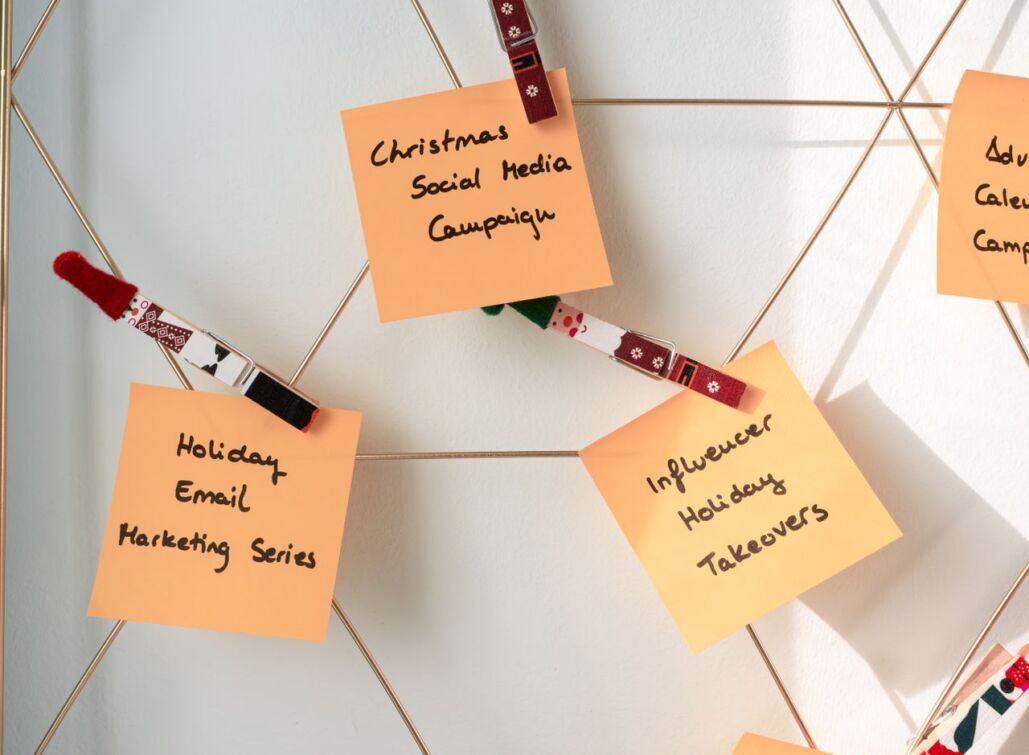


A social media campaign can look organised in the first meeting, then slowly unravel.
The brief sits in one document. The content calendar sits somewhere else. Paid social has its own plan. Someone needs approval from a stakeholder who was not included early enough. The campaign launches, posts go live and then the team discovers nobody agreed on what success was meant to look like.
A social media campaign template will not make a weak idea stronger on its own. It can stop strong ideas from getting lost between planning, content creation, approvals and reporting.
This guide gives you a practical campaign template that works for product launches, seasonal promotions, awareness campaigns, employer branding, events and paid social support. It also shows how to turn the template into a repeatable workflow instead of a document people fill in once and forget.
What is a social media campaign template?
A social media campaign template is a structured plan that brings the campaign goal, target audience, key assets, content formats, owners, deadlines and KPIs into one place.
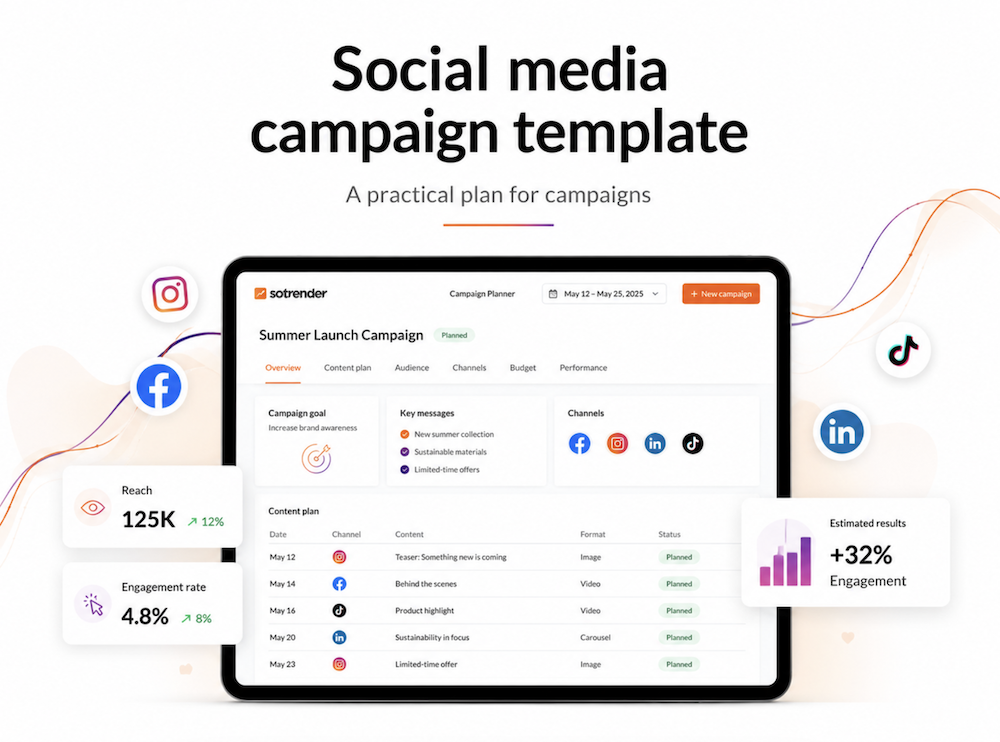
It gives marketing teams a shared view of what needs to happen before, during and after a campaign.
A useful campaign template should answer:
- What business goal does the campaign support?
- Who is the campaign for?
- What should that audience think, feel or do?
- Which social media platforms matter for this campaign?
- What content needs to be created?
- Who needs to approve it?
- Which metrics will show if it worked?
- What should happen after the campaign ends?
That is more useful than a blank social media plan filled with post dates and captions. A clear social media content calendar gives the campaign a publishing rhythm, but the full plan needs to cover much more than posting dates.
Why a campaign plan matters
Many campaigns do not fail because the creative was weak. They fail because the plan stopped too early.
A team may know the campaign theme but not the audience segment. They may have a great Reel idea but no plan for comments, DMs or paid media. They may track likes after the campaign but never compare performance metrics against the original goals and objectives.
A strong social media strategy needs a bridge between idea and execution.
That bridge should include:
- a campaign brief
- a defined campaign owner
- a list of required assets
- a realistic approval process
- a social media calendar
- a measurement plan
- a post-campaign review
The template below gives each of those parts a place. It also helps teams streamline social media management instead of relying on scattered documents and memory.
You can build this plan template in Google Sheets, Notion, Canva, PowerPoint or another plan maker your team already uses. In a wider digital marketing workflow, Canva can help design the assets while the template keeps the campaign structure clear. A PowerPoint deck can help present the final campaign report. A PSD file may still be useful for designers.
But none of those tools replace the campaign structure itself.
The best template is customizable enough to fit your campaign, yet simple enough that people will still use it when deadlines become tight.
1. Campaign overview
Start with the basic information, including a short campaign description alongside the core fields.
| Field | What to add |
|---|---|
| Campaign name | A clear internal name |
| Campaign period | Start date, end date, and key launch moments |
| Campaign owner | One person responsible for progress |
| Business goal | Awareness, leads, sales, sign-ups, event registrations, or retention |
| Marketing goal | The social media outcome that supports the business goal |
| Primary audience | The exact group the campaign needs to reach |
| Campaign promise | The central message or idea |
| Main CTA | The next step you want people to take |
| Stakeholders | People who need updates or approval |
This section should be short enough for people to read in one minute.
Avoid vague goals such as “increase visibility.” Write what visibility is meant to achieve.
For example:
Increase awareness of the new summer collection among existing customers aged 25–40, then drive qualified traffic to the product category page.
That gives the team a clear direction for content, paid media and reporting. It also helps you set social media KPIs that connect to business goals, instead of treating reach as the answer to every campaign question.
2. Campaign objective and KPIs
A social media campaign needs one main objective and clearly defined campaign goals. It can support several outcomes, but one should lead.
For example, a product launch may need reach, engagement, clicks and sales. The campaign still needs a primary target. Otherwise, every number can look useful and none of them guide decisions.
Use this campaign template:
| Objective | KPI | Target | Why it matters |
|---|---|---|---|
| Build awareness | Reach | [Target] | Shows how many relevant people saw the campaign |
| Encourage engagement | Engagement rate | [Target] | Shows if content created a response |
| Drive visits | Link clicks | [Target] | Shows interest in the next step |
| Generate leads | Form completions | [Target] | Connects social activity to lead generation |
| Support sales | Conversion rate | [Target] | Shows commercial impact |
| Build community | Saves, shares, replies | [Target] | Shows deeper audience value |
Do not fill every row just because the template includes it. Select the metrics that match the campaign strategy and your specific objectives.
Performance tracking works best when the team has a baseline. Use a recent social media audit to understand what normal reach, engagement, conversion rates where relevant, and other core results look like before the campaign begins.
3. Target audience and campaign insight
A campaign does not need a fully rebuilt buyer persona. It needs a useful audience insight.
Start with the group you want to reach. Then describe the problem, tension or desire that gives the campaign a reason to exist.
| Question | Your answer |
|---|---|
| Who are we speaking to? | [Audience segment] |
| What do they care about right now? | [Need, goal, or concern] |
| What is stopping them from acting? | [Barrier or objection] |
| What message may change their mind? | [Campaign promise] |
| What proof will make the message believable? | [Review, demo, creator, data, or product detail] |
| What action should they take? | [CTA] |
Competitive analysis can help you refine the campaign angle. Look at the formats, topics and social marketing messages that appear across your category, and regular audits of competitors’ social media can reveal gaps worth exploiting in messaging, formats or positioning, then decide where your brand has a stronger point of view for potential customers. Sotrender’s guide to tracking competitors’ marketing activity is useful for identifying patterns worth challenging, not copying.
4. Key message and campaign concept
The campaign concept is not the same as the caption.
It is the idea that connects every asset, format and message across marketing channels.
A good campaign concept should be easy to explain in one or two sentences. It should also leave room for platform-specific content.
| Element | Example |
|---|---|
| Campaign concept | “Make social planning less chaotic.” |
| Core message | “A clear plan gives every post a purpose.” |
| Supporting message | “You do not need more content. You need better decisions about the content you already create.” |
| Campaign hashtag | [Optional and relevant] |
| Brand tone | Practical, calm, credible |
| Visual direction | Clear layouts, real data, simple graphics |
| Campaign CTA | Download, register, shop, book, or learn more |
A campaign idea should give content creation some freedom. If every post repeats the same line, the social media plan will feel mechanical.
The brand kit should define recurring visual elements, typography and approved colours. It helps create a cohesive look and feel, but brand identity goes beyond design. The campaign message should also sound recognisable across paid social, creator content and community replies.
For help with message consistency, see Sotrender’s guide to building a social media messaging strategy.
5. Platform strategy
A social media campaign should not appear on every platform because the brand has accounts there.
Choose platforms based on audience, format and campaign goal. With over five billion people using social media today, selection matters because audiences behave differently across different social media platforms.
| Platform | Role in campaign | Best content format | Main CTA |
|---|---|---|---|
| Awareness and engagement | Reels, carousels, Stories | Save, share, or visit link | |
| Thought leadership and leads | Expert post, document post, short video | Download or book | |
| TikTok | Discovery and reach | Short-form video | Follow, comment, or visit profile |
| Community and paid support | Video, link post, event post | Click or register | |
| YouTube | Deeper explanation | Tutorial, case study, or demo | Subscribe or visit website |
You do not need every platform in every campaign.
A B2B campaign may focus on LinkedIn and YouTube. A local event may need Instagram Stories and Facebook. An ecommerce campaign may use TikTok for reach, Instagram for product proof and paid media for retargeting.
The point is to give every channel a job. A data-driven social media strategy helps teams choose how to reach the right audience on different social media platforms instead of treating every network as equally important.
6. Content plan and asset list
This is where the campaign template becomes useful for daily work.
Create a list of every asset needed before the campaign goes live, while leaving room for fresh content ideas during production.
| Asset | Format | Platform | Owner | Status | Deadline |
|---|---|---|---|---|---|
| Campaign launch post | Carousel | Instagram, LinkedIn | [Name] | Draft | [Date] |
| Short video | Reel | Instagram, TikTok | [Name] | In production | [Date] |
| Explainer post | Text and graphic | [Name] | Planned | [Date] | |
| Customer proof | Quote card | Instagram, Facebook | [Name] | Awaiting approval | [Date] |
| Paid social creative | Static and video | Meta | [Name] | Briefed | [Date] |
| Campaign report | Slide deck | Internal | [Name] | Not started | [Date] |
This section can include free templates for recurring formats. They also help teams move from a blank page to practical execution faster. A designer may use Canva or PSD source files. A marketer may start from scratch in a Google Sheet. The format is less important than giving each asset an owner and a purpose.
For small teams working across multiple formats, Instagram templates can speed up production of consistent social media posts, but only when the template supports the campaign message instead of flattening every post into the same design.
Teams that need a more customized planning workflow can also use Rocket’s intelligence feature to build internal campaign tools around their own processes.
7. Social media content calendar
A content calendar turns the campaign concept into a publishing rhythm by organizing posting dates, topics, platforms, and responsible team members so teams can schedule posts consistently.
It should include organic posts, paid social activity, creator content, employee amplification, Stories, community management cover and reporting checkpoints.
| Date | Platform | Content type | Topic | CTA | Owner | Approval status |
|---|---|---|---|---|---|---|
| Day 1 | Reel | Campaign launch | Visit profile | [Name] | Approved | |
| Day 2 | Document post | Main campaign insight | Download guide | [Name] | Approved | |
| Day 3 | Instagram Stories | Poll and Q&A | Audience pain point | Reply or vote | [Name] | Planned |
| Day 5 | TikTok | Short video | Behind the scenes | Follow for part two | [Name] | Draft |
| Day 7 | Paid post | Offer or proof point | Learn more | [Name] | Approved |
A 30-day social media plan template should include weekly breakdowns and moments where the team checks results and adjusts. Add a review point after the first few posts. Many social media campaigns run for about 4-6 weeks, so space review points across that period and mark key dates that affect timing. If one format clearly outperforms the others, refine the rest of the action plan instead of waiting until the campaign ends.
For TikTok-led campaigns, Sotrender’s guide to repurposing TikTok videos can help turn stronger content into a wider campaign asset library.
8. Campaign management workflow
A campaign can have a strong social media strategy and still collapse during approvals.
Set the workflow before content creation begins.
| Stage | Owner | What happens |
|---|---|---|
| Brief approved | Campaign owner | Goal, audience, and concept confirmed |
| Content drafted | Content creator | Copy and creative prepared |
| Brand review | Brand lead | Tone, visual identity, and claims checked |
| Legal or product review | Relevant stakeholder | Required claims, disclosures, and details checked |
| Scheduled | Social media manager | Posts loaded into publishing tool |
| Community cover assigned | Community manager | Comments and DMs monitored |
| Results reviewed | Campaign owner | Performance compared with KPIs |
Keep this workflow short. Too many approval stages can make a campaign feel safer but slower.
The aim is not to create a perfect chain of sign-off. It is to make sure the right people review the right things at the right time.
A simple brief template should also document what must not change after approval: key claims, brand tone, CTA, offer terms and required disclosures. That protects consistency while leaving creators room to make content feel platform-specific.
9. Community management plan
A social media campaign does not end when the post goes live.
A new campaign can create questions, objections, support requests and unexpected public feedback. Decide who will respond before the comments arrive. Engagement strategies should define response processes for comments, DMs and escalation during the campaign.
Include:
- common questions and approved answers
- escalation contacts
- reply tone guidelines
- crisis or complaint process
- expected response time
- DM handling rules
- WhatsApp automation for routing enquiries, answering common questions and following up with leads
- comment moderation approach
- creator or partner response responsibilities
- the resources needed to handle reply volume or escalations during peak campaign periods
This part matters even more for a campaign that uses paid social. A strong ad can increase reach quickly, but it can also bring more questions than the team can handle.
A campaign plan should prepare for that moment instead of treating it as an afterthought. A social media management tool can support the reporting and planning side, while a defined community workflow helps protect response quality while meeting audience expectations when the campaign gets busy.
10. Paid social plan
Paid social should support the campaign as part of an effective social media strategy, not repeat the exact same asset to a larger audience.
Use paid media for a specific job:
- build awareness among a defined audience, or support driving traffic when the campaign goal is site visits
- retarget people who watched or clicked
- promote a high-performing organic post
- support lead generation
- test a message before rolling it out more widely
- bring campaign content to a new market or segment
Paid plans need a defined budget for ads and clear marketing goals before launch.
| Paid objective | Audience | Creative | Budget | Metric | Review date |
|---|---|---|---|---|---|
| Awareness | New audience | Short video | [Budget] | Reach and video views | [Date] |
| Retargeting | Website visitors | Product proof | [Budget] | Clicks and conversion | [Date] |
| Lead generation | Job-title segment | Lead form ad | [Budget] | Cost per lead | [Date] |
Paid media needs its own measurement plan. It’s not always that straightforward to measure manually, though. Using ad tracking software can help teams connect clicks and conversions to the correct campaigns and channels.
A high reach number may be useful for awareness, but it cannot prove lead quality, purchase intent, or whether the campaign will increase sales on its own.
For campaign support, use organic posts to test language and formats before committing more budget. The social media engagement guide can help identify what gets a response before you scale it through paid distribution.
11. Campaign reporting template
A campaign report should not become a list of screenshots.
It should explain what happened, why it happened and what the team should do next.
Use this structure:
Campaign summary
- What was the campaign goal?
- Who did it target?
- Which channels did it use?
- What was the campaign period?
Results
- Which KPIs reached target?
- Which fell short?
- What content performed best?
- Which platform produced the strongest outcome?
- How did paid social affect the result?
Audience insight
- Which format created the most engagement?
- Which content drove the most clicks or conversions?
- What comments, questions or objections appeared?
- Did the campaign reach your audience?
Recommendations
- What should the team repeat?
- What should change?
- Which content deserves repurposing?
- Which audience or platform needs a different approach?
- What should the next campaign test, and where can the brand build brand loyalty through stronger follow-up content or community activity?
- What lessons learned should carry into the next campaign?
Sotrender’s guide to social media analytics reports can help turn raw metrics into stakeholder-ready recommendations. Agencies can also use customizable reporting workflows to make the final report easier to review with clients.
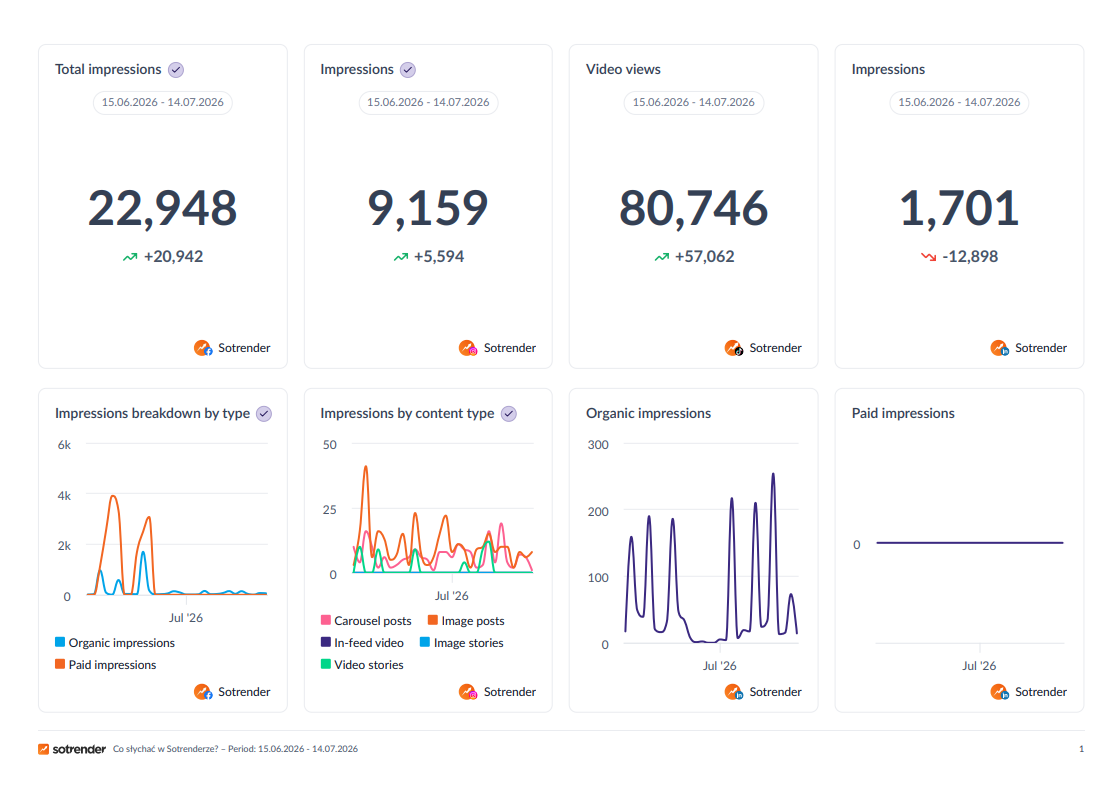
For campaigns with large or complex datasets – especially if social media is not the only channel to be analyzed – AI data analysis can help identify patterns, compare channel performance and turn raw campaign data into clearer insights.
Free social media campaign template: copy and paste version
Use this free social media marketing plan when you need a simple campaign template.
Campaign basics
- Campaign name:
- Campaign owner:
- Start date:
- End date:
- Business goal:
- Campaign description:
- Marketing goals:
- Specific objectives:
- Main KPI:
- Clear objectives:
- Target audience:
- Main campaign message:
- Primary CTA:
- Campaign hashtag:
- Stakeholders:
- Approval owner:
Content and channels
- Platforms:
- Key dates:
- Organic content formats:
- Paid social formats:
- Budget for ads:
- Creator or partner content:
- Required visual assets:
- Resources needed:
- Required copy:
- Landing page:
- Schedule posts:
- Community management owner:
- Escalation contact:
- One platform:
Measurement
- Baseline performance:
- KPI target:
- Reporting date:
- Campaign result:
- Best-performing content:
- Main audience insight:
- What to repeat:
- What to change:
You can use this as a marketing plan template, proposal template or campaign brief for a client-facing project. It is more useful than a “free marketing campaign” idea with no owner, deadline or measurement plan.
Final thoughts
A social media campaign template is not there to make marketing feel bureaucratic.
It gives the team room to make better creative decisions because the basic decisions are already clear. Everyone knows the goal. Everyone knows who owns the next step. The campaign has a way to handle feedback, measure results and learn after launch.
Start with the simplest version of the template so your team has a solid foundation for future refinements. Use it for one campaign. Then refine it based on what your team actually needs.
The best template is not the prettiest one in Canva. It is the one people still use when the campaign gets busy. It is what helps even a small business run more consistent campaigns without scattered workflows.