

Instagram is a powerful tool for creating engaging content that connects with your target customers and promotes your business.
Instagram templates are a valuable resource for businesses and creators navigating the fast-paced world of the internet and digital marketing.
In this post, we’ll walk you through everything you need to know to make the most of the platform – from the fundamentals and best practices to the templates and tools to speed up and optimize your workflow. Let’s get started.
What Is Instagram Used for?
Instagram is a social media platform used for sharing photos, videos, and other forms of visual content. It was launched by founders Kevin Systrom and Mike Krieger in 2010, then quickly became a top app for both iOS and Android devices.
In the last decade, the Instagram app has released many new features to enhance its user experience. Video-sharing functions were introduced in 2013, followed by Stories and Live in 2016, Shopping in 2019, and most recently, Reels as of 2020. The Instagram app now includes a dedicated reels feed where users can discover trending content, and creating reels has become a streamlined process within the app. These features have been accompanied by some upgrades, like expanded editing tools and filters, tagging capabilities, visibility settings, and formatting options.
Today, the social network touts an impressive 1.28 billion-plus user base. Experts anticipate Instagram’s popularity will continue to rise over the coming years, with a project of 50 million new sign-ups by 2024.
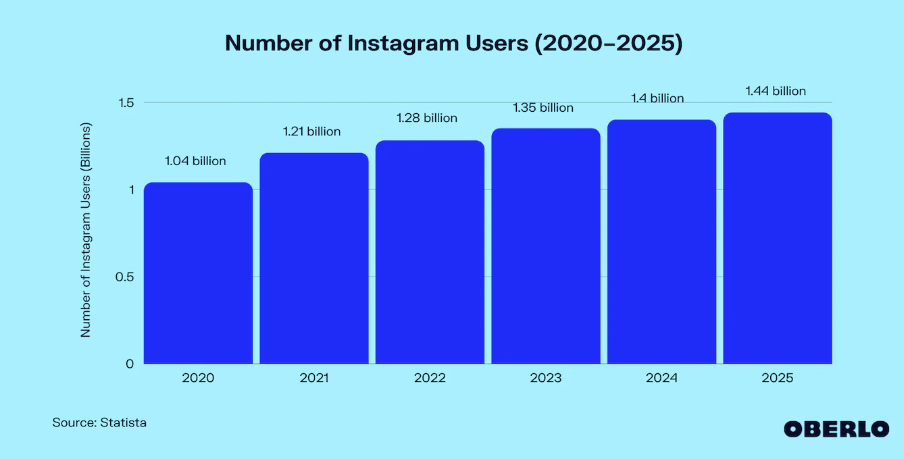
source: Oberlo
Why Use Instagram Templates?
Creating Instagram content from scratch can be time-consuming. Content creators and brands put countless hours and effort into creating visually appealing and engaging pieces to their followers.
Templates help you create scroll-stopping content that grabs attention as users scroll through their feeds.
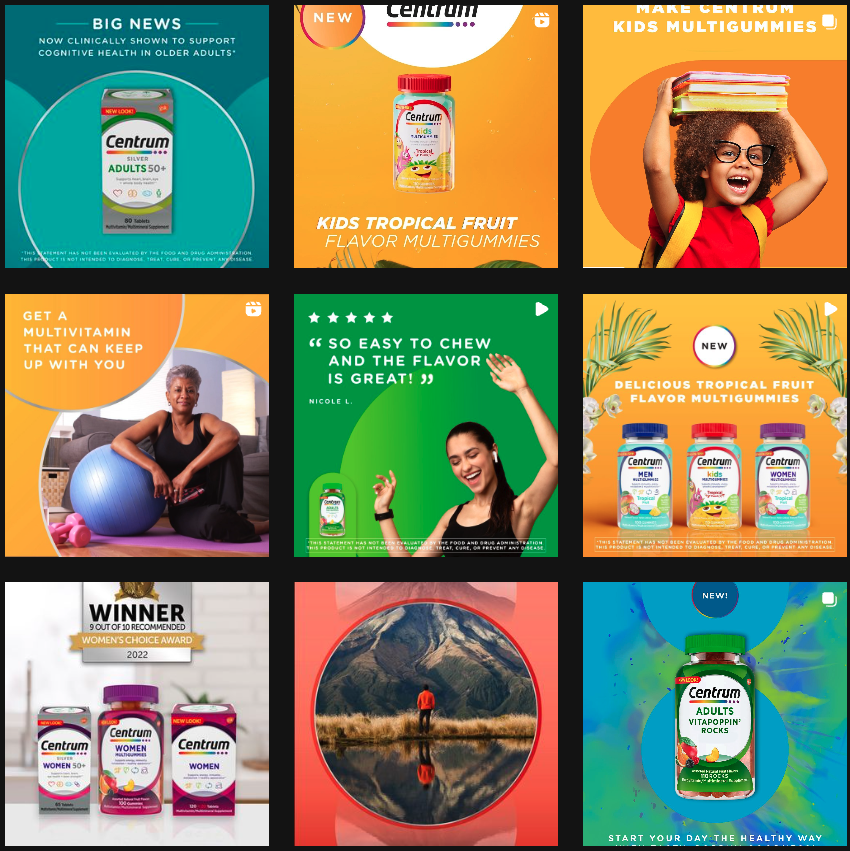
source: Instagram / Centrum
One Instagram post can take a few minutes to months – depending on the campaign, partnerships, and people involved – so using templates is handy and helps you optimize your resources.
Some benefits of using Instagram templates are:
- Cutting down time on the creation process. This means you can focus on planning and doing research for more in-depth content.
- Your brand aesthetic looks well put together. When using templates, you can preset fonts, colors, and graphics.
- Adapting your content to seasonal campaigns or trends is easier.
- Templates provide a structure for your content, making it easier to maintain consistency.
Using templates allows you to tailor your content to be more relevant to your audience. Leveraging trending templates can help your content reach more people. Templates often include pre-set timing for videos, making it easier to synchronize music and transitions automatically. You can save templates for future use, streamlining your workflow. Templates allow you to replace images or video clips with your own to quickly customize content. You can customize templates to fit your brand’s unique style. Use different versions of templates for various campaigns. Templates make it easy to edit your content for different formats. You can create your own custom templates from scratch. Add details like text, stickers, or GIFs to enhance your templates. Upload your finished designs directly to Instagram. Templates can be edited within the app or using third-party tools. Note which templates perform best for future reference. You can search for templates within the app to find the perfect fit for your needs.
There’s no arguing with the fact that Instagram has the potential to offer businesses countless benefits. But it’s important to know that they aren’t given; reaping the advantages of a brand presence on the app requires some upfront Instagram content planning and strategy.
Instagram templates are an easy hack for this, serving as the perfect starting point for creating content that truly resonates. Here’s how you can use templates to improve your visual content:
1. Plan Your Content
The first thing you should do when building a presence on Instagram is outline your plans for doing so. Answer key questions like:
- What type of content do you plan to publish?
- What topics would resonate with your target audience?
- Are there any competitors or other brands you can follow to inspire your output?
- What gaps can you fill and do you have the resources and expertise to fill them?
- Is there a budget you must adjust to?
- How much time and money will you spend when creating content?
- How are you going to evaluate your posts?
- How will your content appear on different screen sizes?

Defining your audience and what they want to see is also important. Luckily, Instagram and other social media platforms are great at categorizing content by topic and showing you who’s engaging with it. Use data from your previous posts and audience insights to inform your content planning decisions.
If you plan to run Instagram ads, make sure to link your Instagram account to your Facebook page. This connection is essential for managing ads, tracking performance, and optimizing campaigns through Facebook’s Ads Manager. Based on the type of content you plan to create, you can determine the types of templates you’ll need to create visual content for your Instagram account, whether it’s galleries, Stories, Q&As, FAQs, etc.
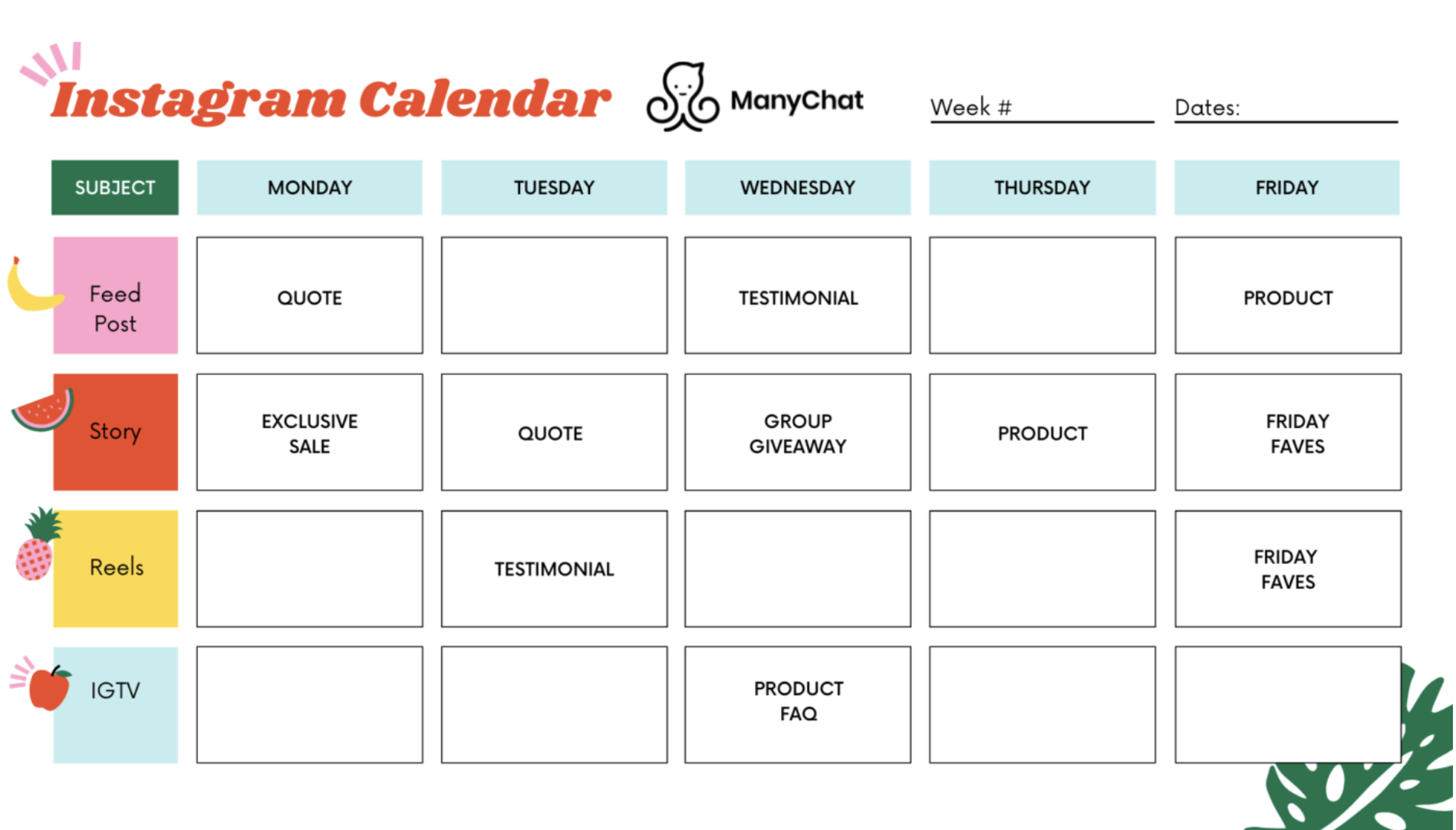
source: ManyChat
2. Create Your Visual Assets
When making visuals and other content for Instagram, the goal is to be eye-catching, creative, and authentic. This can range from creating simple graphics to taking stunning photos or videos.
It’s here that templates come in handy. With a template, all of the hard work has already been done for you – from picking fonts and colors to finding the right shapes and sizes. All the elements within a template can be customized to fit your brand guidelines and requirements. You can tap on different elements within a template to personalize them, making it easy to adjust text, images, or colors to your liking. Adding GIFs to your Instagram story templates can also make your content more engaging and interactive.
You can use Instagram templates to suit the different formats you’re trying to execute while keeping a cohesive look and feel across the various assets that you post.
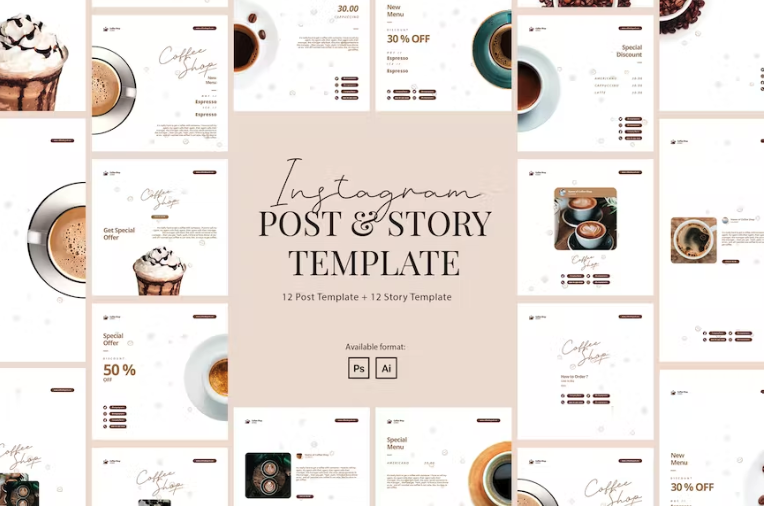
source: Envato Elements
3. Maintain a Consistent Style
Creating a consistent brand identity is important to any social media presence. This means using the same style and language throughout your posts.
Templates are perfect for helping maintain a consistent visual style through elements such fonts, icons, backgrounds, and textures.
4. Use the Right Color Palette
Instagram is all about aesthetics. As such, it’s essential to ensure that your content is as visually appealing as it is helpful. Using a unified color palette is the key to achieving this.
While template packs usually come with a pre-set color scheme, many also allow you to select your own – just be sure to pick options that complement each other if you do so.
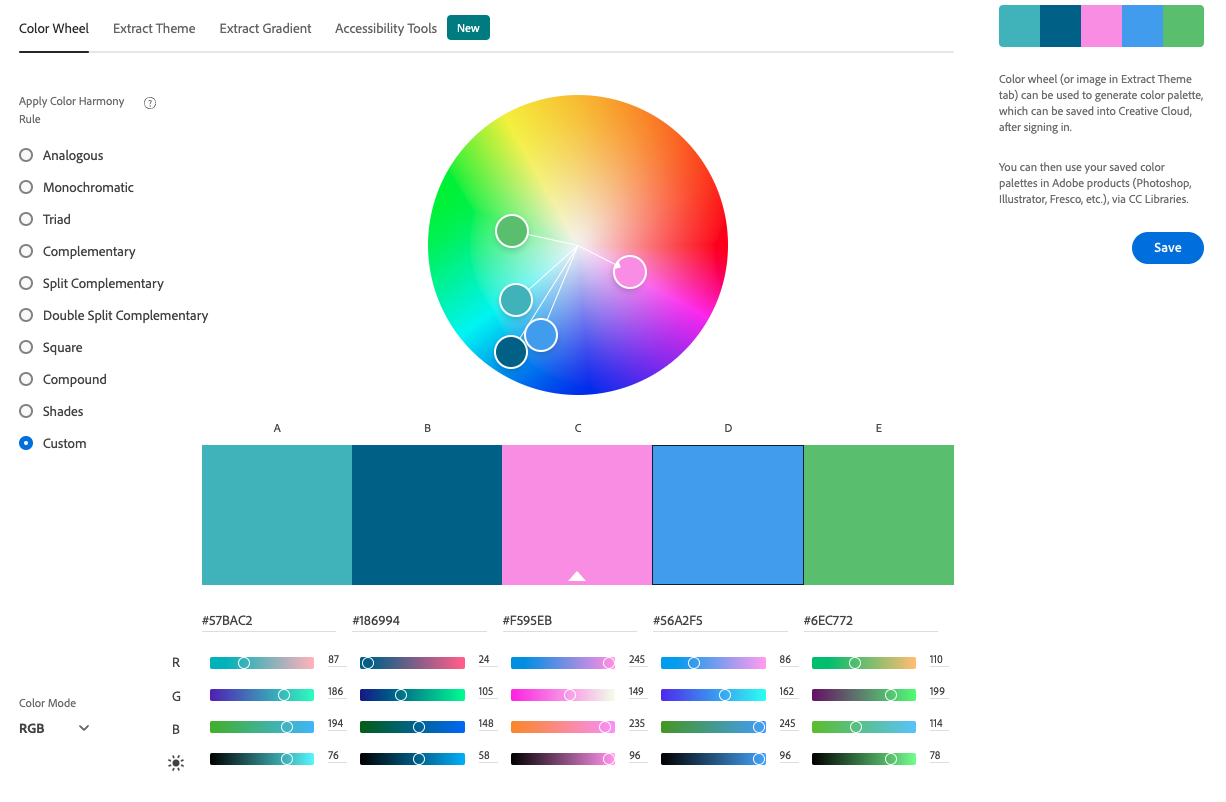
source: Adobe Color
Here’s an example of a template that uses colors among the same color palette in various designs. It’s visually consistent and dynamic at the same time.
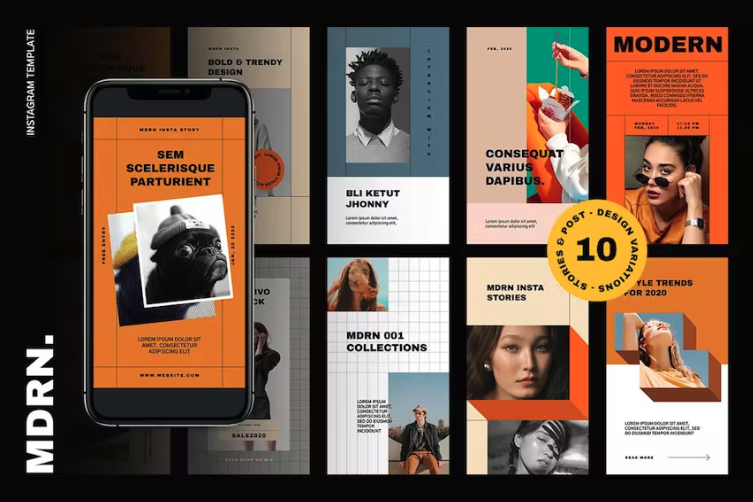
source: Envato Elements
5. Deliver High-quality Images
High-quality images are essential for Instagram. Poorly shot or pixelated photos and videos will be noticed by your followers and will likely not perform well as a result, so ensuring everything is of the highest caliber is essential.
Keep your content size at least 1080px by 1080px, and stick with images with a 4:3 or 16:9 aspect ratio.
Pro tip
If professional photography is not your forte, look for high-quality stock photos. If you subscribe to a platform like Envato Elements, you can get unlimited downloads of photos, Instagram templates, and other assets for one low cost.
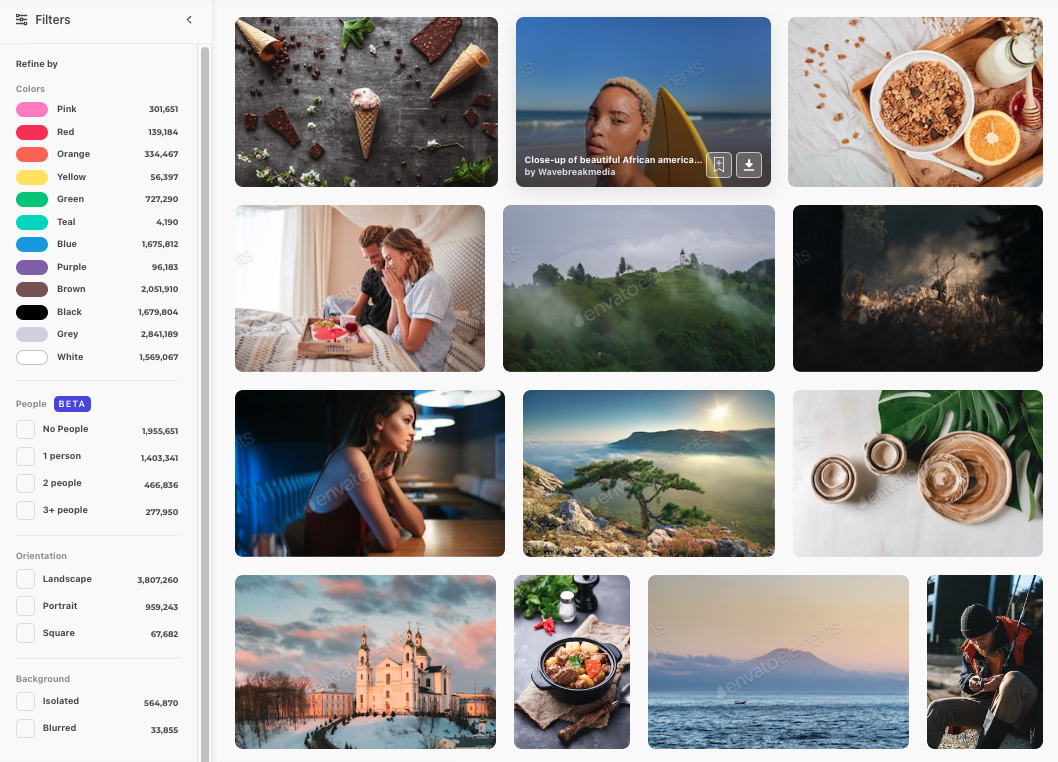
source: Envato Elements
6. Create Short-form Video Content
While they’re slightly newer to the mix, Reels and Stories are quickly becoming some of Instagram’s most popular forms of content. Creating a reel involves combining multiple video clips, and Instagram templates make it easy to arrange these clips with pre-set timing for a polished result. Reels can be automatically edited within the app, streamlining the process and ensuring your clips are synchronized. Once your reel is ready, you can upload it directly to Instagram.
For example, the clothing company Wolf & Badger has a strong visual game and keeps Reels consistent with short videos. At least once a week, the brand posts a how-to-style video using a customized template.
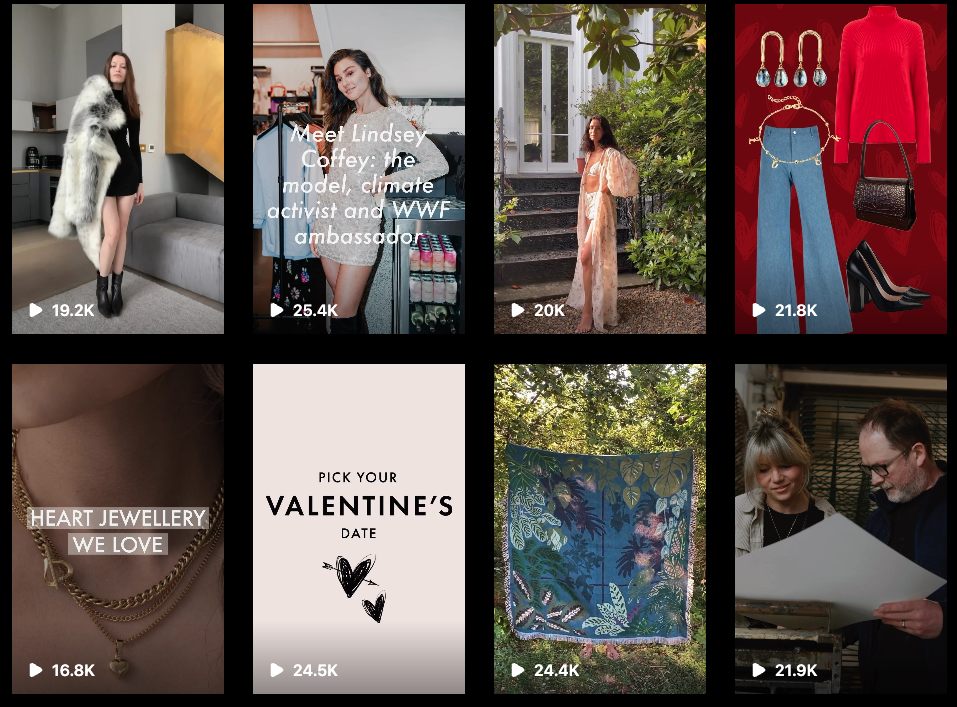
Source: Instagram / Wolf and Badger
Types of Instagram Templates
A good thing about creating Instagram content is that you can repurpose content for posts, Stories, and Reels. A single template can help you boost engagement in more ways than one.
Within the Instagram app, you can access the templates tab to browse and manage your saved templates. Starting a new reel or story can be as simple as using the template tap feature to select a ready-made design. You can also use different versions of templates to suit various content needs.
You can use these types of Instagram templates to make the most of your content creation resources:
Instagram Post Templates
Creating new content to showcase your brand is way easier when you use Instagram Post templates. The steps are really as straightforward as they sound: pick the color from your brand’s color palette, adjust the copy, add stock images, and add your logo.
Promoting content cross-platform also becomes easier when you have solid visual assets like these posts from Veggies from Mexico.

Source: Instagram / Veggies from Mexico
Instagram Story Templates
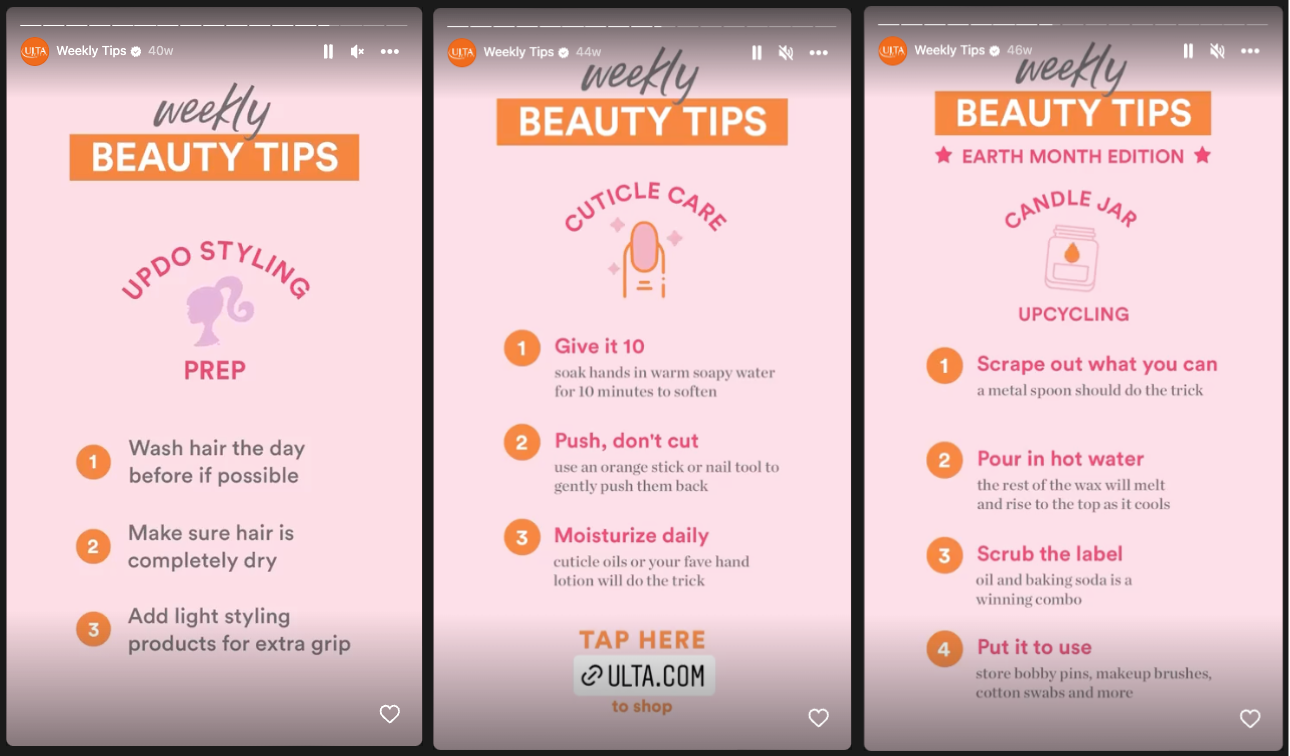
Instagram Stories are perfect for sharing educational content, and using templates will help you create stories consistently.
For example, American beauty store Ulta posts weekly beauty tips that include steps for easy skincare, makeup, and lifestyle advice.
Source: Instagram / Ulta Beauty
Creating an Instagram account and managing it well can mean exposure to a worldwide audience of engaged, creative, and curious users. This represents a major opportunity for brands looking to succeed in an increasingly digital-first business landscape.
Instagram Business accounts can come with many perks, which we’ve outlined below.
Best Tools to Design Instagram Posts and Videos
The great thing about modern-day social media marketing is that you don’t have to be a design expert to reap its benefits. Many great tools exist to help with every aspect of content creation, from creating visuals to editing videos.
Here’s a look at some of the best:
VSCO
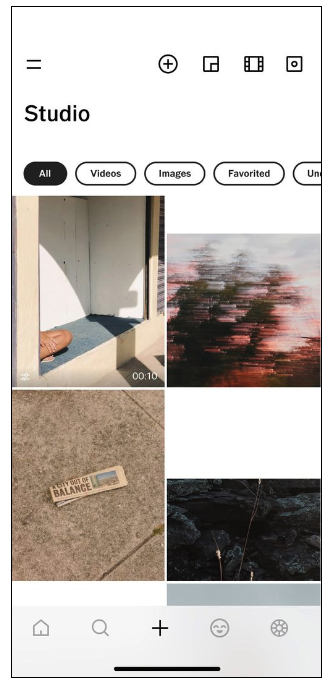
VSCO is a powerful photo and video editing tool designed to capture the look of film photography. It’s incredibly easy to use and has many filters, overlays, borders, and more. Basic access is free, but you can purchase a Premium Membership for $19.99 annually.
Source: VSCO
Afterlight
Afterlight offers editing tools like high-quality filters and film textures. It’s simple to use and navigate. It’s free with optional upgrade purchases.

Source: App Store / Afterlight
Snapseed
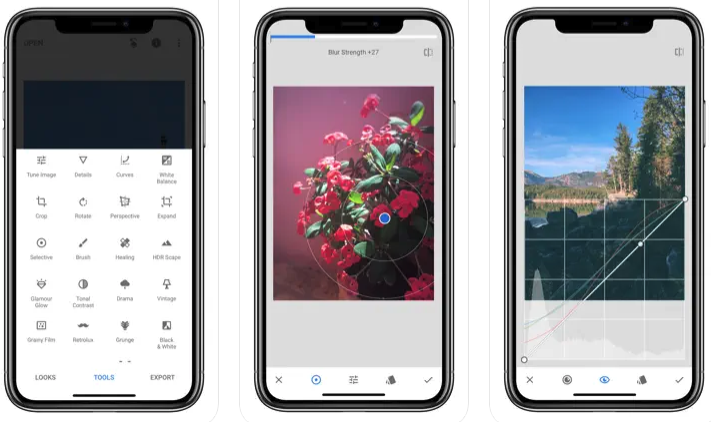
Owned by Google, Snapseed is a free editing app. It offers a variety of tools and filters, as well as the ability to layer images and add text.
Source: App Store / Snapseed
Envato Elements
Envato Elements is a great resource if you’re looking for templates and design assets for use on Instagram. The subscription-based service gives you access to an unlimited library to choose from, including templates for Stories, Reels, and in-feed posts.

Source: Envato Elements
Life Lapse
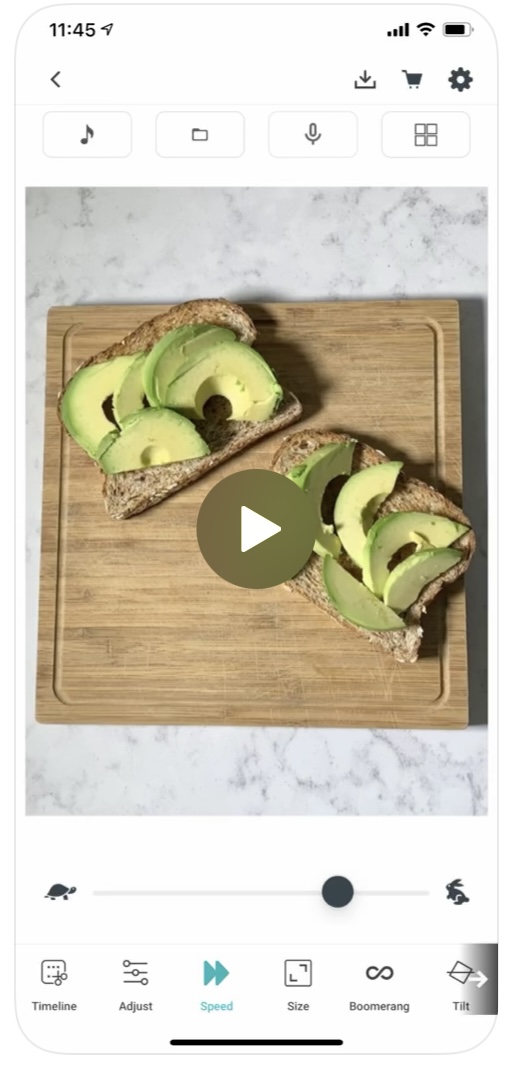
Life Lapse is a fun and easy-to-use video editing tool for creating mini-movies from everyday moments. A subscription give users access to a wide range of features, including transitions, special effects, filters, music tracks, and more.
Source: App Store / Life Lapse
How to Benefit from Instagram Content
There are some important best practices to keep in mind when looking to maximize the ROI of your Instagram content.
As mentioned earlier, having a consistent visual identity on Instagram is essential. This means sticking to the same colors, fonts, and overall style. Maintaining an easily identifiable look will help your posts stand out and be more memorable to viewers.
Analyze the Effectiveness of Your Designs
Once you’ve spent time choosing your template and creating a final creative, it’s time to analyze whether your audience liked it or not.
No matter if you’ve designed your graphic from scratch or used a ready template, you can always get useful information from analyzing their performance. You should analyze each social media post separately, as well as all your posts over time to get a bigger picture and understand trends and your audience preferences.
With help comes social media analytics solutions, like Sotrender. When using such, you’ll be able to sort and filter all your posts according to your needs (e.g. only video posts, all your posts for the last 90 days, etc).
Use Sotrender to understand which of your posts or Stories gathered the biggest engagement – it will help you make next decisions on what content to produce and which templates are the best choice for your brand.
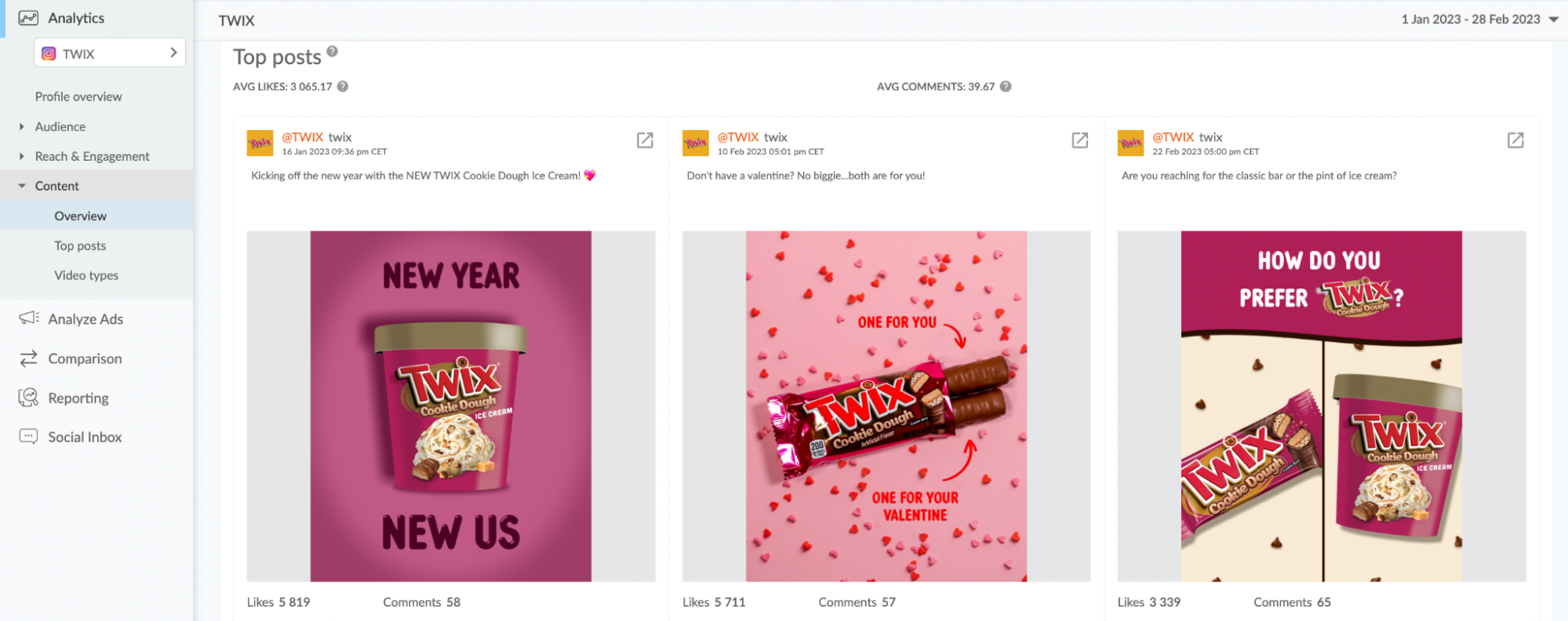
source: Sotrender app
The prices start from $80, but there is a 7-day free trial during which you can test the tool and see whether or not it answers your needs.
Conclusion
Creating effective Instagram content isn’t easy – it takes practice, experimentation, and dedication. But with the right strategy and resources, you can unlock the full potential of Instagram for your business. With so many creative tools available, there’s no limit to what you can accomplish. Good luck!







